How to set up a scorecard with the total number of reviews of your app
Find out how to visualize all you Android app reviews on Data Studio in a scorecard.
This one is pretty straightforward. Here's what you have to do:
- Add the Reviews report from Google Play as a data source if you haven't already;
- Set your date range to begin since you launched your app;
- Add a scorecard to your page;
- Select
starRatingas your metric; - Then, click the edit button (the pencil) to select "Count" as the default aggregation.
The final result should look like this 👇
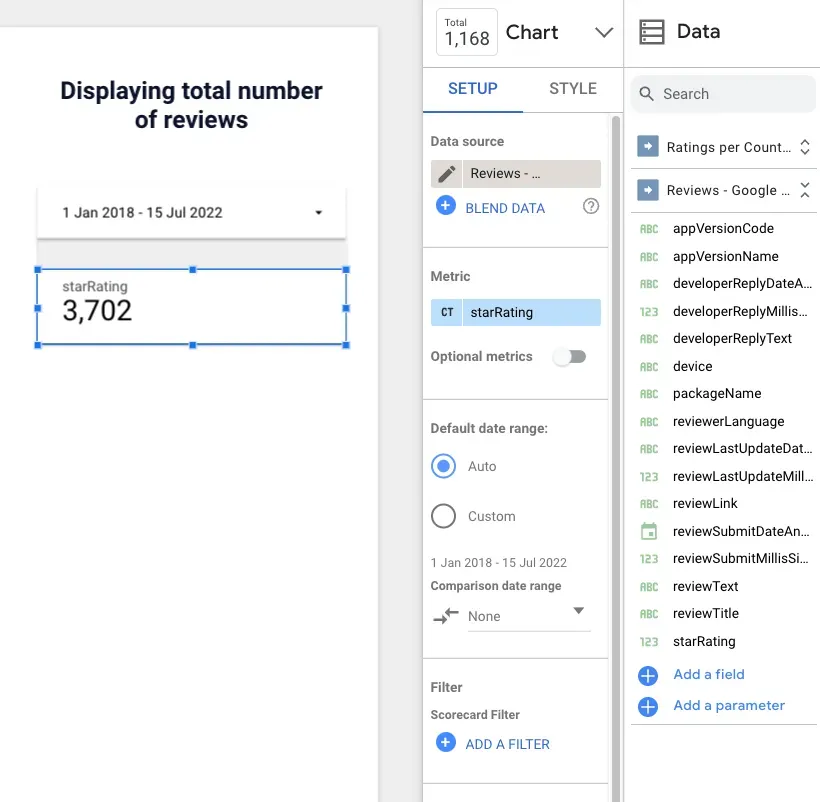
What you're doing there is telling Data Studio that you want to count how many ratings you received - and then display that number.
Things to watch out for
- If you have multiple apps, don't forget to filter them, so you see just one app at a time;
- There will be a difference from the number you see live on Google Play. To figure out how fresh is your data, pull a table with the
Date,reviewTitle, anddeviceas dimension to see what's the latest entry you have.
